


Hacker: Secret Codes & Ciphers
4.0333.00 Reviews
App Specs
- Version
- 2.1.1
- Updated On
- License
- Free
- Downloads
- 5,000,000+
- Developer
- Vidmark Inc.
- Categories
- Libraries & Demo
- Platform
- Android
Screenshots
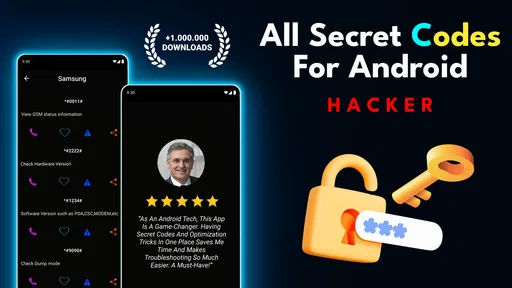
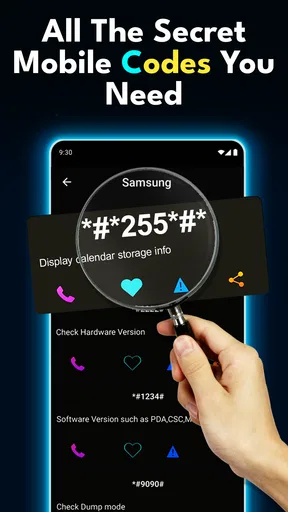
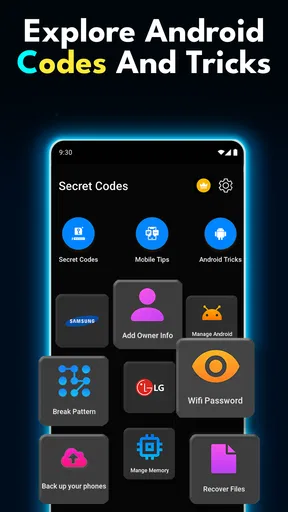

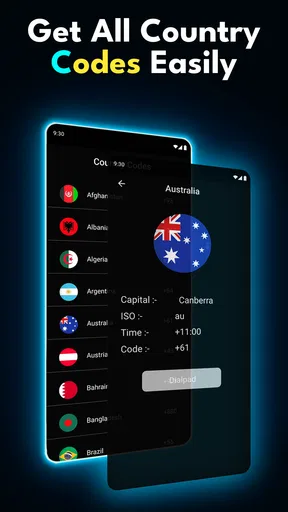
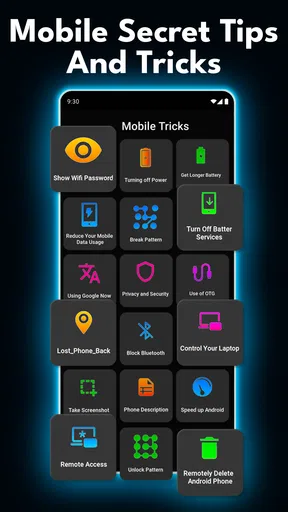
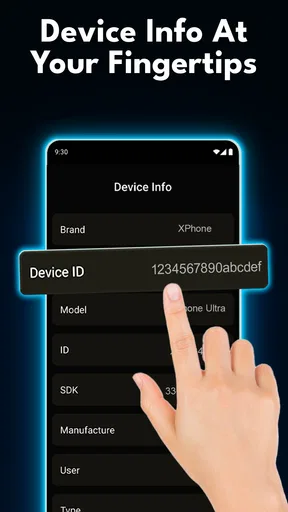
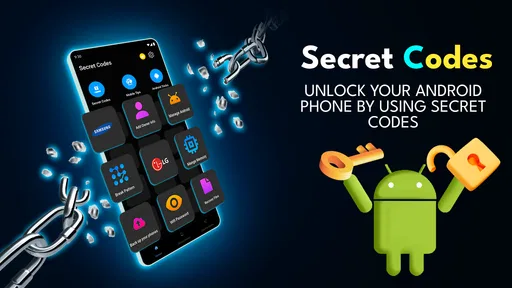
 Analysis by AppCompare
I wouldn’t treat a phone utility with “Hacker” in its name as a magic key to hidden capabilities. Hacker: Secret Codes & Ciphers, from Vidmark Inc., is presented as a way to explore secret codes associated with a phone. That can be appealing if you like poking around Android settings, but the sensible way to approach it is as a reference and discovery tool—not as a promise that every code will work or unlock something useful on every handset.
That distinction matters because Android phones vary by manufacturer, model, software build, and carrier. A code that opens a diagnostic screen on one device may do nothing on another, and a menu that is visible is not necessarily safe to change. I’d use the app to satisfy curiosity and learn what a code is intended to do, then pause before entering anything that could alter network, radio, or device settings. If your goal is simply to fix a problem, the phone maker’s support instructions are usually the safer first stop.
What the “hacker” framing means in practice
The name and short description give the app a playful, secret-agent feel, but I would not read “Hacker” as evidence of security testing, protection from attacks, or access to someone else’s phone. The useful interpretation is narrower: it introduces codes that can lead to less familiar parts of a mobile device. That makes the app best suited to curious Android owners who want to understand their own phone, not anyone expecting a general cybersecurity toolkit.
It sits in the libraries-and-demos corner of the app world rather than behaving like a conventional utility that performs a clearly defined task for you. I would compare it with looking up device codes in a web search or browsing a phone manual. The app’s advantage is having the material gathered in one place; the trade-off is that a code collection still needs context. A list alone cannot guarantee that an entry applies to your specific model, so I’d treat each code as something to investigate rather than tap through automatically.
Trust begins with restraint
I find the category and framing worth keeping in mind when judging trust. A “secret code” app may sound powerful, but the label itself does not tell me what permissions it requests, how it handles information, or what account controls it offers. I won’t infer those details from the name. Before using it, I’d read the permission prompts Android actually displays and ask whether each request makes sense for the action I’m trying to take. If a prompt feels unrelated, I would stop rather than grant access just to continue exploring.
The same caution applies to any screen opened by a dialer code. Looking at a diagnostic or service menu is different from changing a value in it. I’d avoid experimenting with settings I can’t explain, and I’d write down the original state before making any change that I already understand and genuinely need. If the screen offers no clear way to undo an edit, that is a good reason not to proceed. Curiosity is a fine reason to browse; it is not a reason to gamble with phone service or configuration.
Crack the Code
First off, Hacker: Secret Codes & Ciphers is a treasure trove of different codes and ciphers just waiting for you to unravel them. The app has a vast array of puzzles ranging from simple to mind-bendingly complex. Whether you're a rookie in the world of cryptography or a seasoned pro, there's something here for everyone.
Worth Reading Before You Choose

Baby Panda World Brings Quick Play to Modern Phones, but Its Game Library Feels Busy

ESPN’s Live Game View Makes Following Close Games Easier

QuizzLand Review: A Good Fit for Short Trivia Breaks, Not Every Player

Basketball Stars: Multiplayer Is Fast, but Can It Recover When Matches Go Wrong?

WEBTOON Turns Phone Updates Into a Better Reading Routine

Link to Windows Runs on Shared Habits, Not Social Feeds
The interface is pretty slick and user-friendly. You won’t find yourself lost in a maze of menus, which is a huge plus. The app is organized into categories, making it easy to find what intrigues you the most. From classic ciphers like Caesar and Vigenère to more obscure ones, it's all here.
Interactive Learning
One of the standout features is the interactive learning modules. The app doesn’t just throw you into the deep end. Instead, it gently guides you through the history and methodology of each cipher. This is perfect for those of us who love a little backstory with our brain teasers.
And let me tell you, the satisfaction you get from cracking a particularly tough cipher is next level. It's like solving a puzzle and learning a new skill at the same time. Plus, the app keeps track of your progress, so you can see how much you've grown in your cryptography journey.
A Community of Code Breakers
Another cool aspect is the community feature. You can connect with other users, share codes, and even challenge each other. This brings a social element that makes the learning process more dynamic and engaging. It's like being part of a secret club where everyone speaks in riddles and codes.
And if you're feeling extra competitive, there are leaderboards to show off your skills. Climbing up the ranks feels super rewarding, and who doesn’t love a bit of friendly competition?
Choosing it for the right reason
For a practical starting point, I’d use the app when I’m trying to learn what a particular code is meant to reveal, rather than when I need an urgent repair. For example, if a phone is behaving oddly and I’m curious whether it has a diagnostic screen, I’d first identify the exact model and check whether the code is meant for it. I’d then use the app as a prompt for further understanding, not as a substitute for the manufacturer’s troubleshooting steps. This small bit of preparation reduces the chance of confusing a model-specific menu with a universal Android feature.
It is also a better fit for people who enjoy exploring how phones are organized. A student, hobbyist, or tech-curious owner may find the material more interesting than someone who only wants an app to make calls, clear storage, or improve performance. If you are looking for a reliable, device-specific repair procedure, official support documentation is a better alternative. If you want a broad list to browse casually, this app’s library-style approach is more convenient than opening a separate search for every question—but it still calls for checking relevance before acting.
Small checks that make exploration safer
A useful habit is to separate reading from doing. First, note what a code claims to open and whether the explanation makes sense for your handset. Next, decide whether you need to open that screen at all. If your interest is purely educational, stopping at the explanation is a perfectly good outcome. If you do open a menu, avoid changing unfamiliar values, and leave immediately if the screen does not match what you expected. This is a simple way to keep curiosity from turning into avoidable troubleshooting.
I’d also keep sensitive moments in mind. A phone can display information that you would not want casually exposed while showing someone a screen, and a shared device may contain personal accounts or network details. I would avoid exploring menus in public or handing an unlocked phone to another person to try codes. These are general precautions for using device menus, not claims about what this app collects. For information about data handling or account choices, rely on the app’s actual prompts and available settings rather than assuming anything from its name or purpose.
What to expect before installing
The app is free to install and is rated for Everyone; it has an average rating of 4.3 from around 21,000 ratings, with over 5 million installs. Those figures suggest that plenty of people have tried it, but popularity cannot tell you whether a particular code works on your phone or whether you will enjoy the experience. It is listed as a Libraries & Demo app, and the developer is Vidmark Inc. The current version is 1.1.21, and it supports Android 7.0 and later.
There are in-app purchases, priced from $9.99 to $99.99 per item, so I would check the purchase screen carefully before confirming anything. Free installation does not mean every possible item or option is free. If you are only interested in browsing, pay attention to what the app asks you to buy and decide whether that is worth it for your use. I would not purchase anything on the assumption that it will make a code compatible with a phone that does not support it.
Who should pass, and when another option is better
I would skip this if you expect a one-tap fix, need guaranteed instructions for a specific handset, or are uncomfortable reviewing Android permission prompts and unfamiliar system menus. It is also not the right choice for anyone hoping to break into another person’s device or bypass their privacy; the “hacker” branding should not be mistaken for permission to access someone else’s phone. For a straightforward setting change, Android’s own Settings app is generally clearer. For a fault, a manufacturer’s help page or service channel is more appropriate than experimenting with codes.
For a casual evening, though, it can be an interesting rabbit hole: I might browse an entry, learn what sort of menu it relates to, and compare that with what my own phone actually shows—without changing anything. That approach keeps the app’s appeal in perspective. Its value is in guided curiosity and reference, while the main limitation is that a phone code is only useful when it applies to the device in your hand and you understand the consequence of using it.
A Community of Code Breakers
Another cool aspect is the community feature. You can connect with other users, share codes, and even challenge each other. This brings a social element that makes the learning process more dynamic and engaging. It's like being part of a secret club where everyone speaks in riddles and codes.
And if you're feeling extra competitive, there are leaderboards to show off your skills. Climbing up the ranks feels super rewarding, and who doesn’t love a bit of friendly competition?
Final Thoughts
In a nutshell, if you're looking for an app that combines fun, education, and a bit of mystery, Hacker: Secret Codes & Ciphers should be on your download list. It's a great way to kill time while also exercising your brain. Plus, who knows? Maybe you’ll end up solving some real-life mysteries with your newfound skills!
So, are you ready to put on your detective hat and start decrypting? Just remember, every code has a key, and with a little patience, you’ll find it. Happy cipher cracking!
Pros
- User-friendly interface enhances learning.
- Wide range of codes and ciphers included.
- Interactive tutorials aid in comprehension.
- Offline access available for convenience.
- Regular updates with new content.
Cons
- Lacks advanced challenges for experts.
- Some tutorials are text-heavy.
- Occasional minor bugs in quiz section.
- Limited social features for collaboration.
- No dark mode option available.
FAQs for Hacker: Secret Codes & Ciphers
What is Hacker: Secret Codes & Ciphers?
Hacker: Secret Codes & Ciphers is an engaging puzzle game available on Android and iOS that challenges players to solve a variety of cryptographic puzzles. The game enhances problem-solving skills by introducing different types of codes and ciphers, making it both educational and entertaining for puzzle enthusiasts.
Is Hacker: Secret Codes & Ciphers suitable for all ages?
The game is designed to be suitable for a wide range of ages, but it's particularly aimed at teens and adults due to the complexity of the puzzles. Younger children might find some of the ciphers challenging, but they can still enjoy the basic levels with guidance.
Does Hacker: Secret Codes & Ciphers require an internet connection?
No, Hacker: Secret Codes & Ciphers can be played offline. This is perfect for users who want to enjoy the game without worrying about data usage or connectivity issues, making it ideal for travel or areas with limited internet access.
Are there in-app purchases in Hacker: Secret Codes & Ciphers?
Yes, the game offers in-app purchases that allow players to access hints or unlock additional levels. While these purchases can enhance the experience, they are not necessary to enjoy or complete the game, allowing users to play without spending extra money.
What devices are compatible with Hacker: Secret Codes & Ciphers?
Hacker: Secret Codes & Ciphers is compatible with most Android and iOS devices. However, it is recommended to have a device with at least 2GB of RAM and the latest operating system updates to ensure smooth gameplay and prevent any technical issues.


